SaaS Application Design: Key Principles, Best Practices, and Examples

12minutes read
how-to-design-a-saas-application

Design defines how people experience SaaS products from the very first interaction. Users expect clarity: intuitive navigation, a familiar layout, and a workflow that helps them reach their goals without unnecessary steps. When the interface supports this journey, the product feels reliable and immediately more valuable.

For many teams, the challenge isn’t the functionality itself — it’s presenting complex processes in a way that feels simple, consistent, and scalable. Well-structured UI patterns, thoughtful information hierarchy, and predictable interactions help reduce friction and build trust, especially in products where users work with data-heavy tasks or multi-step operations.

In this article, we examine the principles underlying effective SaaS application design and demonstrate their application in real-world projects. One of them is our renewable energy management platform, a system where UX decisions directly shape product performance and user adoption.
How We Designed a SaaS Platform That Powers Renewable Energy Projects

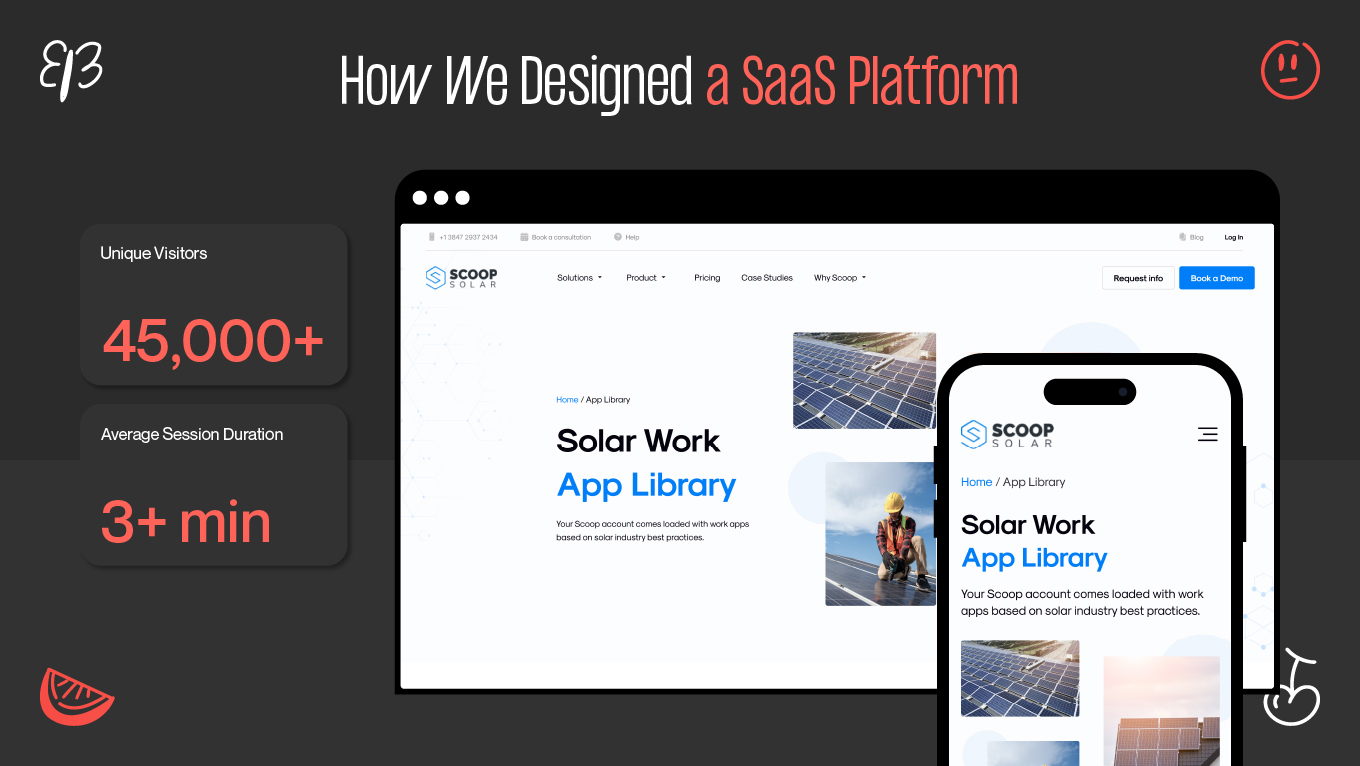
We partnered with Scoop Solar, a platform that helps renewable-energy companies manage installations, inspections, and day-to-day field operations. From the very first call, it became clear that the core issue was the everyday reality of teams juggling spreadsheets, emails, and outdated tools. People were spending too much time finding information and not enough time doing the actual work.

Renewable-energy projects involve dozens of moving parts. When the flow breaks, even a slight delay can affect deadlines, budgets, and safety. Scoop Solar needed a product that could organize this complexity without overwhelming the teams who rely on it every day.

Our Approach

1. Start with real field scenarios

Our team spent time understanding how technicians document work on-site, how PMs track progress, and how office teams coordinate tasks. The same pain surfaced again and again: information lived everywhere, and nothing worked together.

We mapped these workflows to capture not just what people do but how they do it — the shortcuts, the frustrations, and the moments when they need clarity most.

2. Design through iteration

We moved quickly through wireframes and interactive prototypes, checking each idea with real user behavior. Sometimes the “simple” solution wasn’t simple at all once you placed it in a real workflow.

Each iteration answered one question: Does this make someone’s day easier?

3. Build for today and plan for scale

Scoop Solar supports solar, battery storage, EV charging, and more; each with unique workflows. So the system had to feel familiar regardless of the industry.

We prioritized a modular structure that could grow while keeping navigation and interaction patterns consistent. This way, teams wouldn’t have to “relearn” the platform every time new features arrived.

What We Designed

  • A unified workspace where tasks, documents, photos, communication, and reports live together — ending tool fragmentation.
  • Role-based dashboards that reduce noise and show only what matters for each team member.
  • Mobile-first flows built around how field teams actually work: quick notes, fast photo uploads, offline access when they’re on remote sites.
  • Automated workflows that gently guide teams through safety checks, approvals, and status updates without relying on memory.
  • Over 50 interconnected screens, each shaped around clarity and low cognitive effort, even when the data behind them is complex.

We designed the system so that even on a busy job site, users always know what comes next.

The Results

Real improvements was seen in daily work. 

Field teams could complete tasks 40% faster, simply because the platform removed unnecessary steps and guesswork. Structured forms and guided checklists cut manual errors in half, improving documentation quality across projects. Support teams noticed up to 30% fewer navigation-related requests, meaning the platform finally “explained itself.”

Within the first months:

  • 45,000+ unique visitors,
  • an average 3+ minutes session duration,
  • more consistent project updates, and faster approvals.

People didn’t just log in — they stayed, worked, and trusted the system.

Scoop Solar Project
Scoop Solar Project

Feeling like your product could be doing more? Every great UX has room to grow. We can help you spot the friction points and map out clear, simple steps to make your interface feel more intuitive for your customers.

Reach out to Gapsy Studio — we’ll review your platform and outline a clear path for improvement.

Why Design Matters in SaaS Applications

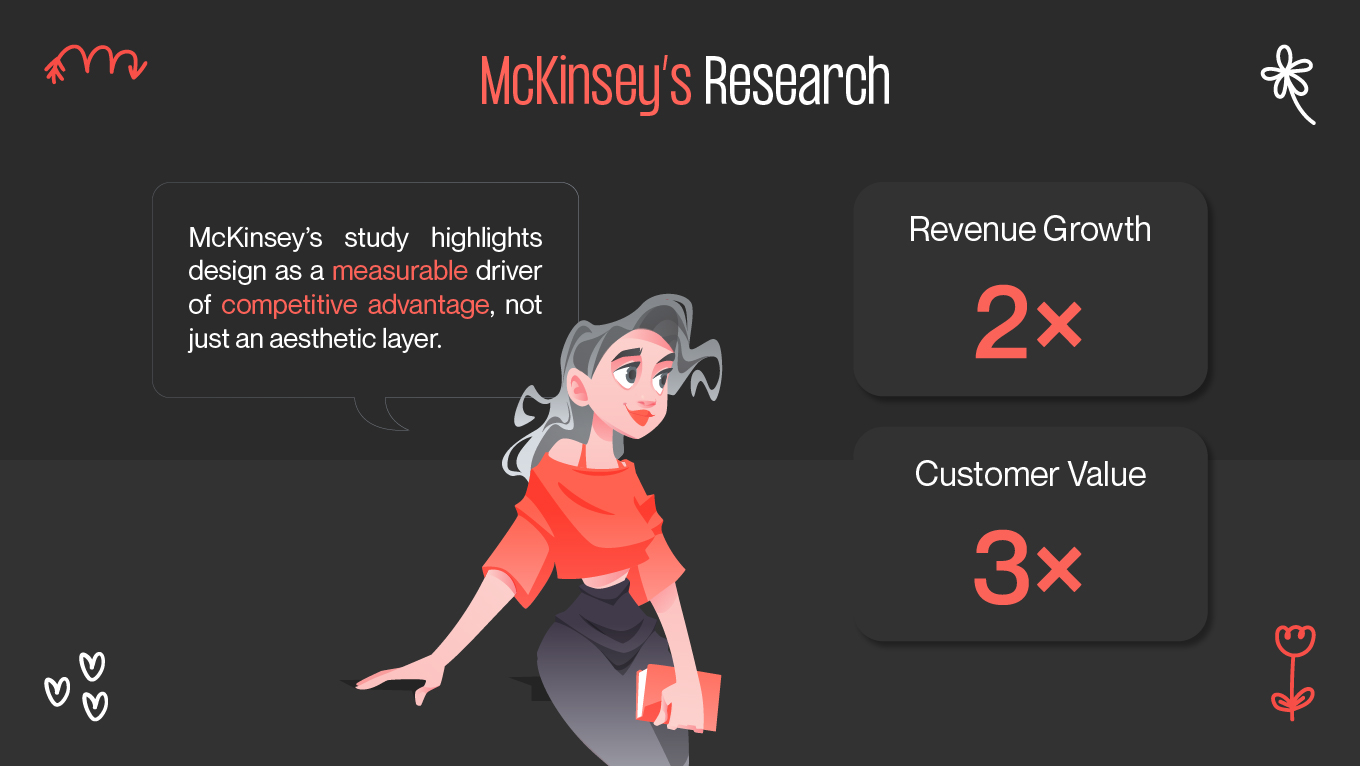
In SaaS, design defines how easily users can turn product capabilities into meaningful results. When workflows feel heavy, or navigation requires effort, people don’t wait for improvements; they move on. Companies that prioritize design outperform their competitors significantly: McKinsey’s research shows that design-mature organizations achieve up to 2× faster revenue growth and up to 3× higher long-term customer value compared to the market average.

McKinsey's Research
McKinsey's Research

Subscription products live or die on repeat value. If you make it easy for people to get things done, they’ll keep coming back. If there’s friction, they’ll leave. This is precisely why design plays such a defining role in SaaS: it shapes how the product performs in the long run. 

The following section looks at how strong design directly impacts growth and operational efficiency.

Design That Drives Sustainable Growth

Clear, well-structured interfaces streamline how teams work with complex information. When experiences match real user expectations, people adopt features faster, make fewer mistakes, and require less support. According to Forrester’s analysis, improving UX can deliver an ROI of up to 100:1, meaning even small design improvements can unlock significant gains in efficiency and revenue. And as companies scale, design becomes a strategic engine for growth, enabling teams to evolve faster without adding unnecessary complexity.

Rapid Evolution and Faster Iteration

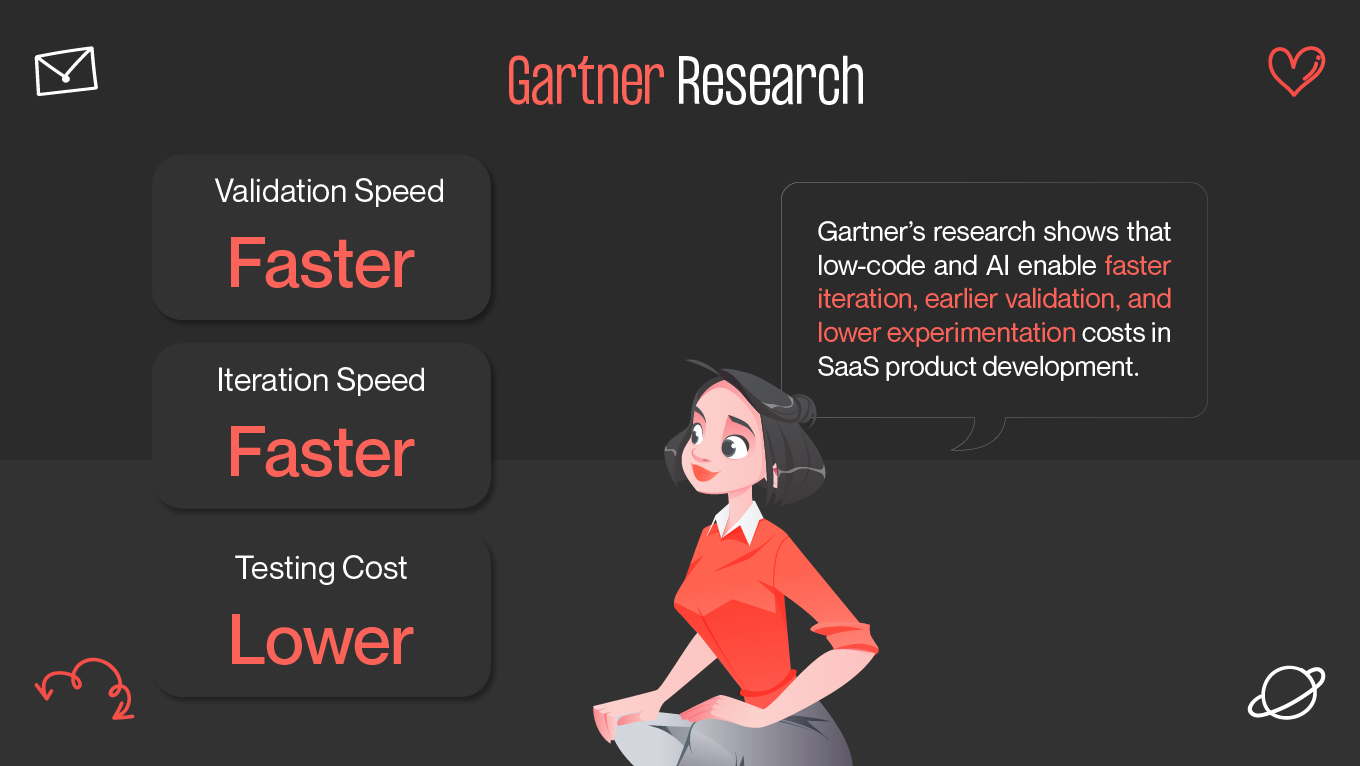
SaaS products evolve quickly, and modern teams need ways to validate ideas before committing to complete development cycles. Low- and no-code platforms have become a major catalyst here: Gartner predicts that by 2025, around 70% of new business applications will be built using low-code or no-code tools, enabling faster prototyping and reducing the cost of early experimentation.

Gartner Research
Gartner Research

At the same time, AI is becoming an essential part of the design workflow — assisting with layout variations, accessibility checks, and content generation. This shifts designers’ focus toward understanding user behavior and shaping the overall product experience, rather than spending time on repetitive production tasks.

Designing for Real People

SaaS platforms serve different roles, industries, and accessibility needs. This makes clarity, predictable interactions, and reduced cognitive load essential. Whether someone works from a desktop dashboard or manages tasks in the field on a mobile device, the product must remain usable, readable, and consistent.

Design that adapts to context (device constraints, environment, experience level) makes the product more resilient and trustworthy. 

For us at Gapsy, this always starts with the same question: What does the user need to accomplish right now, and how do we help them get there with the least resistance?

Balancing Trust, Security, and Performance

SaaS products may handle sensitive workflows and business-critical data, making trust a functional requirement rather than a “nice-to-have.” Transparent permissions, clear data flows, and intuitive authentication help users feel in control. Performance plays a role too, as a stable, responsive system reinforces the sense of reliability that keeps people engaged.

Good design is what makes a product feel reliable. When speed, clarity, and security all click together, the software stops feeling like a “tool” and starts feeling like a teammate. But building for SaaS is different from building traditional software; the design has to be as flexible as the business itself.

How SaaS Design Differs from Traditional Software

Design plays a fundamentally different role in SaaS compared to traditional desktop products. In legacy software, interfaces evolve slowly and rely on infrequent release cycles. In SaaS, design functions as a living system which continuously adapts as new features appear and users require shift. Through projects handled at Gapsy Studio, we’ve seen how ongoing refinement keeps complex platforms clear, predictable, and scalable.

Constant Evolution vs. Fixed Releases

Traditional software often finalizes its interface at launch and updates it only during major releases. SaaS products operate in a more dynamic environment, where new workflows and user expectations constantly emerge. Practices like continuous UX research and regular UX audits help teams refine the product based on real use rather than assumptions.

Designing for Scale and Accessibility

Traditional desktop applications are built for controlled environments (specific hardware, consistent roles, and stable usage patterns). SaaS products support far more variability across devices, accessibility needs, permissions, and network conditions.

To design effectively for these varied contexts, teams should rely on scalable information architecture and accessibility principles. Understanding how people move through key workflows often starts with mapping the customer journey, which helps uncover friction points that affect different user groups. 

Insights from our work in SaaS UX design show that accessibility and scalability become growth drivers when addressed early— as secondary improvements added later.

Data-Driven Design vs. Assumption-Based Design

One of the most meaningful differences between SaaS and traditional software is the depth of behavioral insight available after launch. SaaS platforms reveal how users interact with the product: where they hesitate, what they repeat, and where they drop off.

To support diverse user motivations and contexts, teams develop detailed user personas that guide decisions throughout the design process. When improvements respond to real behavior rather than assumptions, UX becomes a measurable contributor to product growth.

Experience as a Competitive Advantage

In traditional software, competition revolves around pricing or technical capabilities. In SaaS, user experience becomes the differentiator. Teams choose tools that reduce cognitive load, simplify onboarding, and stay consistent across devices.

Applying a mobile-first design strategy is one way SaaS platforms ensure clarity and usability across environments, primarily when teams work across desktop, tablet, and field-oriented mobile contexts.

If an interface feels confusing or outdated, users rarely try to adapt. They move to a platform that supports their workflow more naturally. This shift in expectations sets the stage for comparing SaaS and traditional software from a design perspective.

SaaS Design vs. Traditional Software Design Comparison

Although SaaS and traditional software can appear similar at the surface level, the mindset behind how they are designed, iterated on, and maintained is fundamentally different. 

The comparison below highlights how these differences influence design decisions and long-term user experience.

Aspect

SaaS Application Design

Traditional Software Design

Design Philosophy

Continuous, user-centered evolution driven by data and growth

Static and release-driven, with rare updates

UX Approach

Iterative and data-driven, based on real user behavior

Fixed UX changed only through major releases

Scalability

Designed for thousands of users and multi-device usage

Often optimized for single systems or limited environments

Accessibility

Built for diverse users and devices from the start

Usually added later or treated as secondary

Design Lifecycle

Ongoing: design evolves with the product

Mostly ends after release

Collaboration

Designed for real-time teamwork and integrations via APIs

Typically standalone systems

Performance

Optimized for cloud scalability and speed

Depends heavily on local hardware

Security by Design

Integrated with UX (MFA, permissions, secure flows)

Often layered separately from the design

Personalization

AI-driven and adaptive interfaces

Mostly static or manual customization

Business Impact

Directly linked to retention, churn, and conversion

Design impact on revenue is less measurable

A product built with a traditional software mindset may function reliably, but it often struggles to keep up with the pace and expectations of modern SaaS. Users expect interfaces that adapt, evolve, and simplify their daily work, not systems that remain unchanged for years.

SaaS Design Process: From Strategy to Scalable Experience

A thoughtful SaaS product doesn’t start with screens. It begins with understanding how the business works, how users behave, and what outcome the product must enable. 

Below is a practical, design-driven framework that helps teams build scalable, user-centered SaaS experiences.

Step 1. Define Product Vision and Business Outcomes

Every strong SaaS product begins with clarity, not UI. Before thinking about layouts, teams define:

  • The core business problem the product must solve
  • What success looks like in measurable terms
  • Who the key user groups are and how they create value

Instead of asking “Which feature should we add?”, the focus shifts to “Which user behaviors do we want to strengthen to drive revenue?” This includes activation, time-to-value, retention, and feature adoption, the fundamentals that shape every design decision later.

Step 2. Understand Users in Their Real Environment

Multiple roles with very different expectations use SaaS tools. Observing how people work — not just documenting personas — reveals what slows them down, which decisions matter most, and where they rely on external tools.

Interviews, workflow observation, and usability tests help uncover real behavior patterns. These insights anchor the product in actual needs rather than assumptions.

Step 3. Map the Complete User Experience

Before designing individual screens, teams map the journey end-to-end: from discovering the product to long-term usage. This helps highlight where users lose momentum and where experience improvements matter most.

A complete SaaS journey usually includes:

  • Initial discovery
  • Onboarding
  • Daily tasks
  • Collaboration moments
  • Renewal or churn decisions

Journey mapping is essential for onboarding, because early steps influence activation more than any other stage. Many teams start by outlining the customer journey to understand where users need support and clarity.

Step 4. Build a Scalable Information Architecture

Information architecture determines how users navigate and understand the product. In SaaS, where functionality grows constantly, a strong IA (Information Architecture) prevents confusion and future redesign costs.

This stage shapes:

  • Navigation hierarchy
  • Terminology
  • Grouping of features
  • Pathways between tasks

A clear IA makes it easier to evaluate new functionality later. Besides, it ensures users always know where they are and what they can do next.

Step 5. Translate Complexity into Clarity

SaaS products are inherently complex due to permissions, roles, workflows, and integrations. The designer’s responsibility is to help users experience this complexity in an organized, digestible way.

This is done through:

  • Progressive disclosure
  • Clear hierarchy
  • Contextual visibility
  • Supportive microcopy

These principles help users focus on what matters at each moment, regardless of the complexity happening behind the scenes.

Step 6. Design for Real Data and Edge Scenarios

Real usage rarely matches ideal flows. Many issues surface in:

  • Empty states
  • Loading delays
  • Access restrictions
  • Error conditions
  • Partial or missing data

Preparing these edge scenarios early builds trust and reduces frustration. This is where teams often create early wireframes, ensuring logic is sound before finalizing UI.

Step 7. Prototype, Test, and Iterate

Prototypes validate the experience before development begins. They help refine:

  • Onboarding
  • Navigation patterns
  • Task flows
  • Dashboards and data visualizations

Testing with real users provides insights that would be impossible to capture through internal reviews alone. It also aligns teams around decisions before development investment increases.

This stage often overlaps with broader UI/UX design services, where testing and refinement are built into the process.

Step 8. Create Consistency Through a Design System

As a SaaS product scales, consistency becomes a growth tool. A design system ensures that new features behave predictably and feel connected across teams.

A strong system supports:

  • Coherent visuals
  • Reusable components
  • Accessibility standards
  • Responsive behavior across devices

This foundation also prepares the product for mobile environments, whether through adaptive layouts or dedicated mobile app design practices.

A scalable SaaS product is shaped by a clear strategy, real user understanding, and decisions that evolve with the product. When clarity, onboarding, or retention start to slip, the issue is rarely technical. It usually signals a design strategy gap. Strengthening this foundation helps transform functional software into an experience users trust and rely on every day.

How Gapsy Can Help You Build a Better SaaS Product

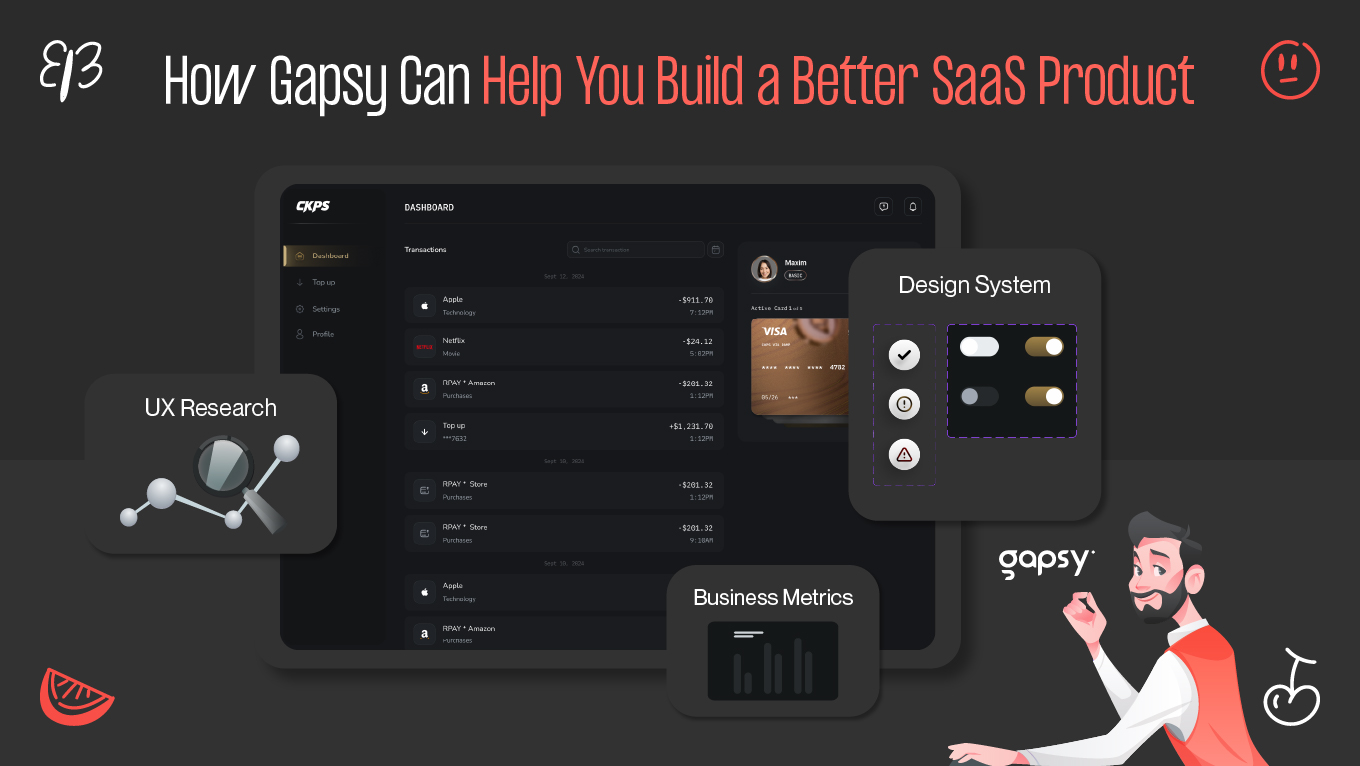
At Gapsy Studio, we help SaaS teams design products that feel intuitive, scale with growing functionality, and support real user workflows. Our expertise spans web and mobile interfaces, UI/UX design, UX audits, and design systems, giving companies a full end-to-end design partner for every stage of their product.

How Gapsy Can Help You Build a Better SaaS Product

With experience across hundreds of digital products, we’ve worked with multi-role dashboards, data-heavy platforms, and evolving SaaS ecosystems. These are the kind of environments where structure, clarity, and usability matter most.

Scalable SaaS Interface Design

Since SaaS products expand quickly with new modules, permissions, and user groups, we design interfaces that can absorb this growth without overwhelming users.

Our approach focuses on making complex systems feel organized, predictable, and easy to navigate, whether you’re building your MVP or refining an established platform.

Research-Driven UX Improvements

Effective SaaS UX requires understanding real behavior. Our process includes interviews, workflow analysis, and usability testing to uncover:

  • Where users hesitate
  • Which decisions slow them down
  • Which steps impact activation and retention

These insights guide improvements in onboarding, adoption, and long-term engagement — outcomes that SaaS businesses rely on.

Design Systems for Consistency and Scale

As your product grows, consistency becomes a performance factor. We build design systems that help teams:

  • Ship features faster
  • Maintain visual and functional coherence
  • Reduce design and development debt

This creates a stable foundation for multi-team collaboration and long-term scalability.

Design That Supports Real Business Metrics

We help teams connect UX decisions to business performance instead of just aesthetics.

If your SaaS product needs clearer UX, stronger onboarding, or a scalable design foundation, we’re here to help.

Every SaaS product has its own unique hurdles. We’re here to help you clear them. Let’s chat about your goals and map out a practical path forward.

Final Thoughts on Building Better SaaS Experiences

SaaS products succeed when they help people reach value quickly and without unnecessary effort. Clear structure, thoughtful UX, and a scalable design foundation make that possible shape how users learn, stay, and grow with your product.

If you're refining an existing platform or building a new one, start with how your users think and work, not only with visuals. 

At Gapsy Studio, we focus on turning complex workflows into experiences that feel natural from the very first interaction.If you’d like to explore what that could look like for your product, get in touch.

Rate this article

20 ratings
Average: 4.9 out of 5

If you like what we write, we recommend subscribing to our mailing list to always be aware of new publications.

Do you have any questions? We tried to answer most of them!